Build mode
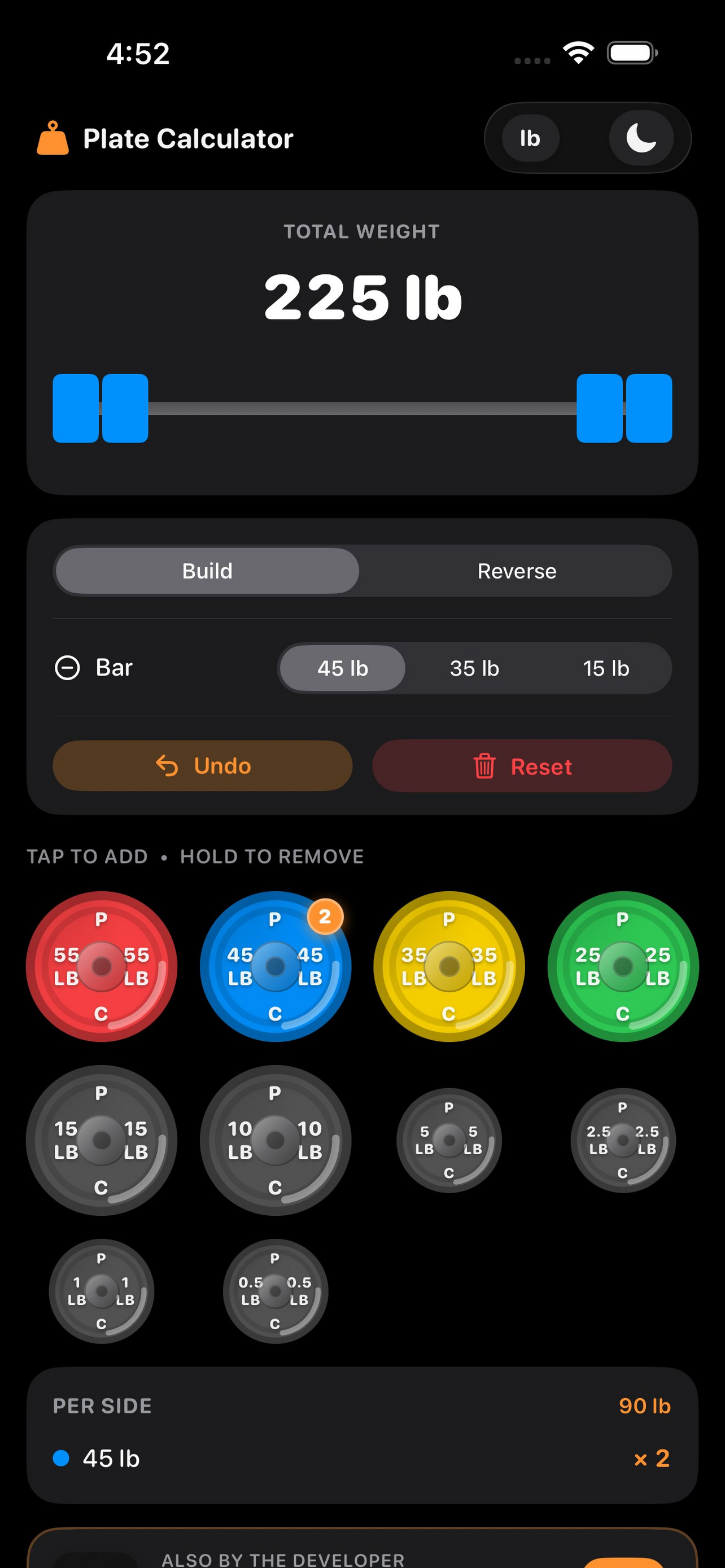
Tap colorful plates to add them to your barbell. Watch the total weight update live as you load up.


 Zero plate math
Tap to build a barbell load or enter your target weight and get told exactly which plates to put on. Supports LB and KG, light and dark mode — built for lifters who'd rather lift than calculate.
Plate Calculator
lb
Try it — this works just like the app.
Fast, focused plate math — so you spend less time at the rack and more time under the bar.
Tap colorful plates to add them to your barbell. Watch the total weight update live as you load up.
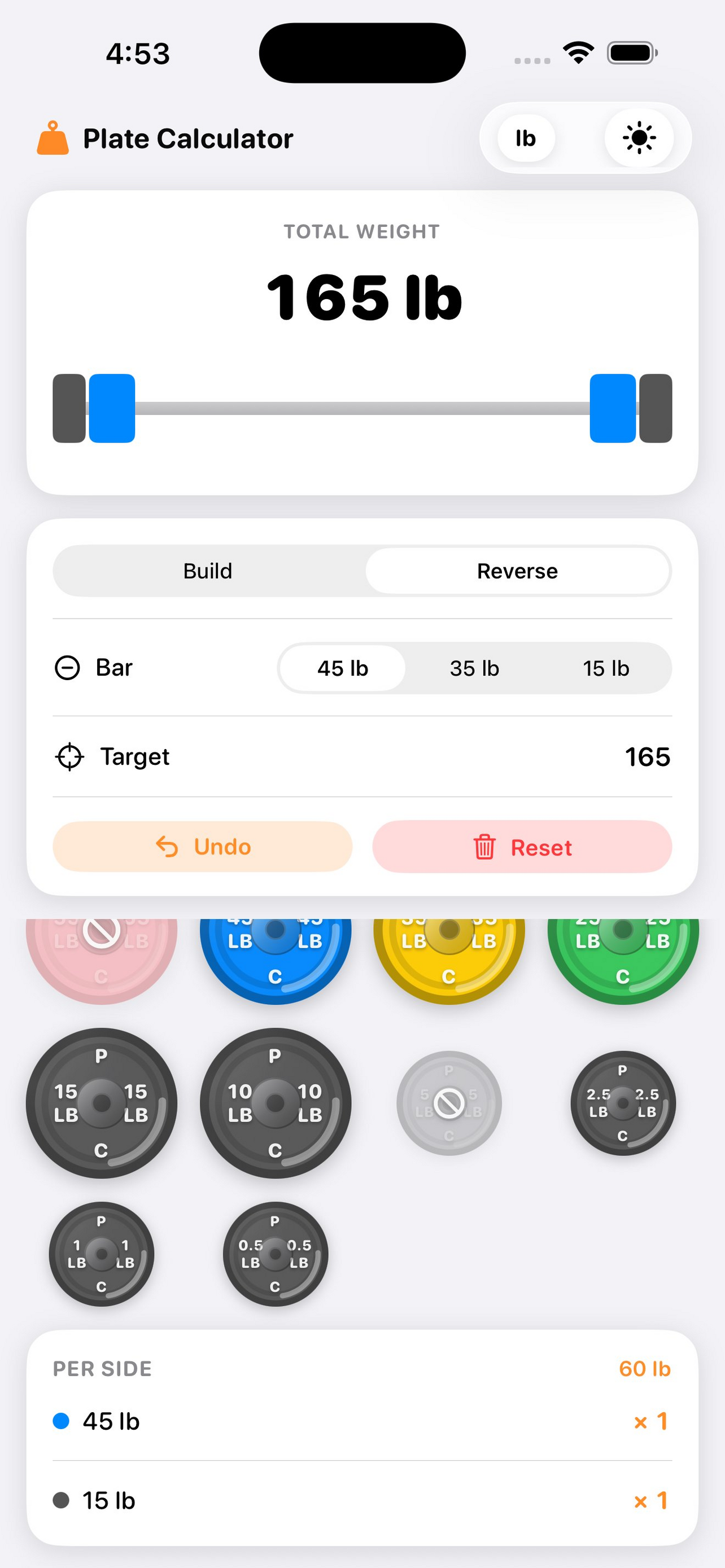
Type in a target weight and the app instantly tells you the exact plates to put on each side of the bar.
Switch between pounds and kilograms with one tap. All plate sets update automatically to match your unit.
Watch a real-time barbell graphic update as you add plates — exactly what it'll look like at the rack.
Clear list at the bottom shows which plates go on each side and how many — no second-guessing.
Looks great under bright gym lights or in a dark home gym. Follows your system preference automatically.
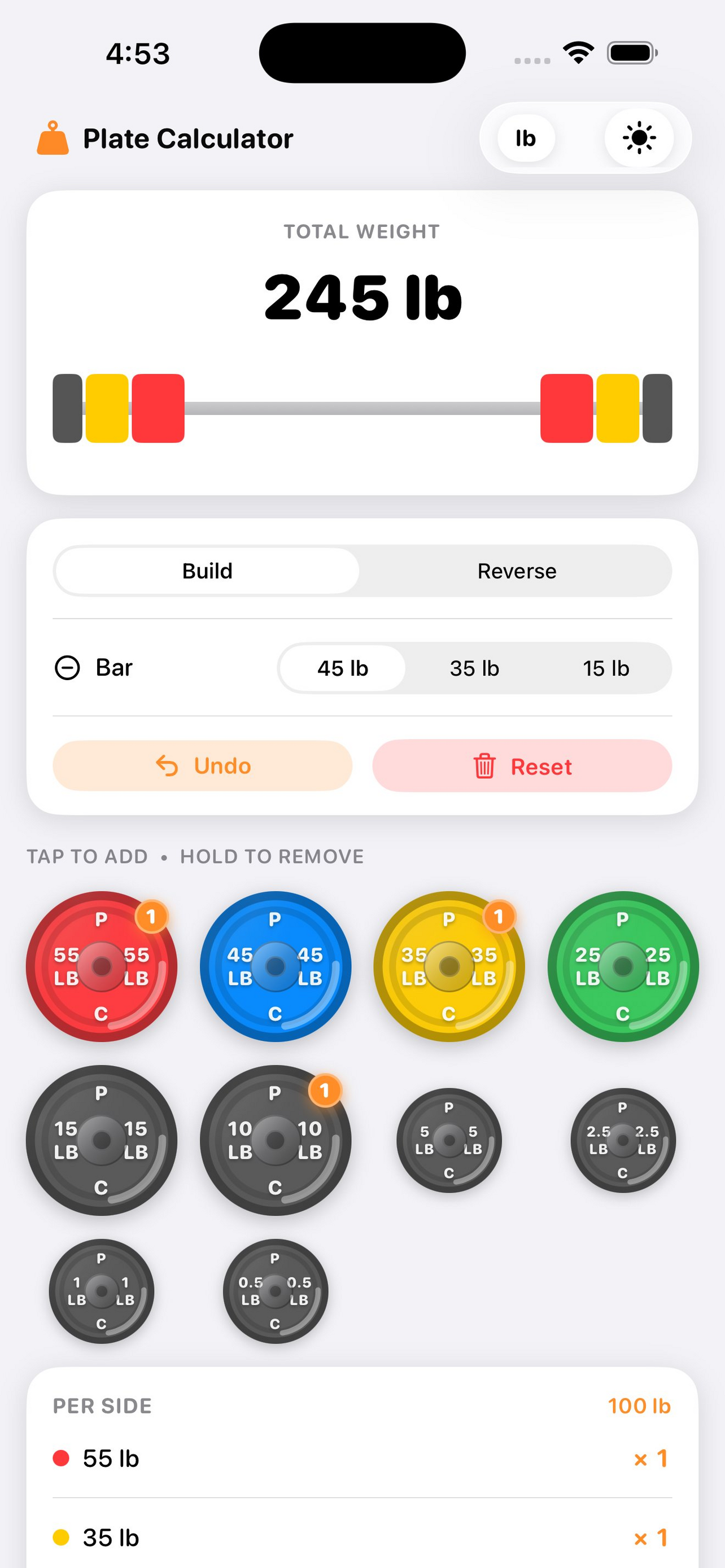
Tap any plate to add it to the bar. The barbell graphic and total weight update instantly — no typing, no calculating, no waiting. Hold a plate to pull it back off.
Know you want to hit 165 lb but not sure how to get there? Flip to Reverse mode, type in your target, and the app does the rest. No math, no guessing, no wrong plates.
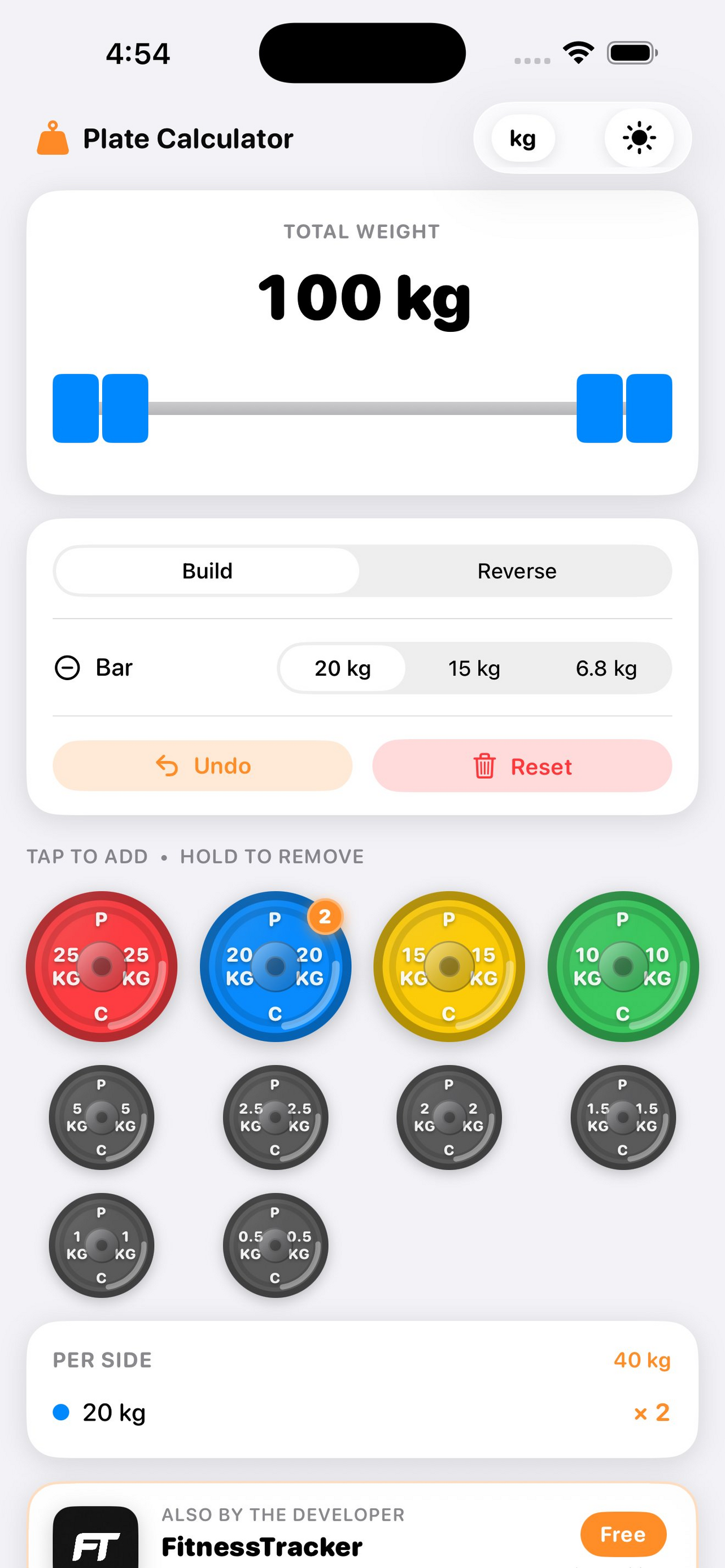
Training with a KG set? Tap the unit toggle in the top corner and every plate switches over automatically — the full KG plate set, correct bar weights, and accurate totals.
Bright commercial gym or a dark home setup — Plate Calculator follows your system appearance setting automatically, so it's always easy to read when you need a quick answer mid-lift.
Whether you're building up from scratch or working backward from a target, Plate Calculator gives you the answer fast.
You know what plates you want to load. Tap them and watch the total climb. Simple as that.
You know the weight you want to hit. Type it in and get back the exact plates to load per side.
Free on the App Store. No account, no subscription, no mental math.